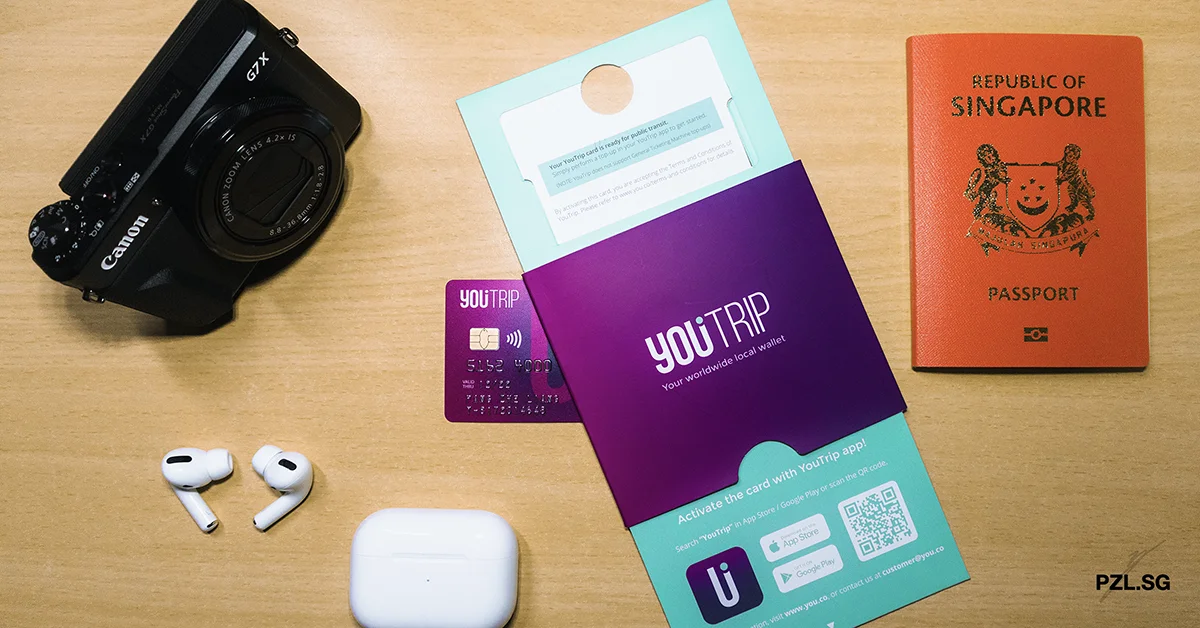
YouTrip is Singapore’s first multi-currency travel wallet with a prepaid contactless Mastercard®. Through this card, you are able to pay in over 150 currencies with zero transaction fee! Here are five things to know about YouTrip.
🎁 Use my referral link and you will get S$5 when you sign-up and make your first top-up. Yay!
Table of Contents:
- Features
- Usage
- Limitation
- How much does YouTrip cost?
- Is YouTrip Safe?
- Should You use YouTrip?
- Get $5 Today!
Disclosure: This post on YouTrip contains a referral code. Hence, I may get some money for coffee when you use my referral code to sign up for their services. But nope, there is no additional cost to you. In fact you will get a $5 referral bonus too! In any case, I will only recommend products or services that meets my needs and expectations; and they are not sponsored.
Part 1: Features

Part 1.1 Mid-Market Exchange Rate
Firstly, YouTrip uses the mid-market exchange rate with no additional fees or markup. In detail, banks and large corporations use this rate for huge volume currency transactions. Moreover, it is also the real-time exchange rate that is close to the published rates on sites like Google, and XE.com. As a matter of fact, it boasts a marginal difference of only 0.1%.
Part 1.2 App
If you want to use YouTrip, then you will need to download its app through Apple Store or Google Play Store. This is because its functionality revolves around its app. In addition, you will also need a relatively strong and active data connection. Otherwise, you will be stuck with the loading screen forever.
Consequently, it may cause some disruption to how you can use YouTrip to its fullest potential. For instance, you can neither top up your card nor view the available balance or your transaction history.
P.S. So long as there is sufficient balance in the card, you can still perform a transaction.
Despite slight issues, the app is not without its merits. For example, you can top-up your card through the app interface. In effect, this saves you the hassle to use the web browser or to visit a top-up machine! Furthermore, if you lose your card, you can simply deactivate it through a single tap in the app!
Part 2: Usage

Part 2.1 Application
When you launch the YouTrip app for the first time, you will be greeted with the signup process. Thereupon, YouTrip will will process your application within one to two business days. Once the application has been approved, you will receive your card in five to eight business days.
Part 2.2 Wallet
YouTrip has ten in-app currencies available and you can exchange the required currency anytime 24/7.
- Singapore Dollar (SGD)
- United States Dollar (USD)
- Euro (EUR)
- Pound Sterling (GBP)
- Japanese Yen (JPY)
- Hong Kong Dollar (HKD)
- Australian Dollar (AUD)
- New Zealand Dollar (NZD)
- Swiss franc (CHF)s
- Swedish krona (SEK)
For the other 140+ currencies, Mastercard® will provide an indicative exchange rate in the app at the moment of transaction. Once the merchant completes the transaction, the exchange rate will be confirmed. With this purpose in mind, the process may take between one day to seven days after the initial transaction. As a result, the final exchange rate may become different.
Part 2.3 Top-Up
In order to use the YouTrip Mastercard®, you will need to perform a top-up first. (Treat it like a prepaid card with in-app power.) For this purpose, you may use almost any Mastercard® or VISA debit or credit card. With this intention, there are three guidelines on the transaction limit:
- Minimum Top-Up Amount: SGD20
- Maximum Account Balance: SGD5,000 (or equivalent in other currencies)
- Daily Transaction Limit: No limit
- Annual Transaction Limit: SGD30,000 (or equivalent in other currencies)
- Minimum Account Balance: Zero
Note: The annual limit is calculated every 365 days, starting from your first top-up on or after 27 February 2020.
Part 2.4 Payment
You will be able to use YouTrip at any Mastercard® acceptance point in Singapore and worldwide, online or in-store. With this purpose in mind, YouTrip will pay the local merchant in its currency from your wallet. There are two scenarios that can happen to this end.
Scenario 1: The local currency is one of the ten wallet currencies. (Refer to Part 2 Point 2.)
In this case, YouTrip will deduct the amount from that particular wallet.
Scenario 2: The local currency is not one of the ten wallet currencies.
In this scenario, YouTrip will exchange the currency at the point of transaction. In the event that there is insufficient funds in the local currency wallet, YouTrip will deduct the shortfall from the other wallets in the following order:
- Singapore Dollar (SGD)
- United States Dollar (USD)
- Euro (EUR)
- Pound Sterling (GBP)
- Japanese Yen (JPY)
- Hong Kong Dollar (HKD)
- Australian Dollar (AUD)
- New Zealand Dollar (NZD)
- Swiss franc (CHF)s
- Swedish krona (SEK)
If there is insufficient balance in all the ten wallets, then the transaction will be rejected. In general, there are three ways to perform a transaction using your YouTrip Mastercard®.
Part 2.4a Contactless Payment
YouTrip Mastercard® is contactless-enabled. As a result, you can simply tap your card on the merchant’s reader to make a payment.
Part 2.4b Chip & Magnetic Stripe Payment
In case the merchant does not accept contactless payment, you are able to go old-school and use either the chip or the magnetic stripe for payment.
Part 2.4c 16-Digit Card Number
If you are making a purchase online, then you can use the 16-digit card number to perform a checkout for your purchase.
Pro Tip: If you are making a purchase from a merchant that charges in a foreign currency, then you should consider using YouTrip. This is because most bank’s card charges a foreign transaction fee.
Part 2.5 ATM Withdrawal
Gone were the days when we need to bring stacks of cash for your trip. With YouTrip Mastercard®, you will be able to withdraw cash at all overseas Mastercard®, Maestro or Cirrus ATMs outside Singapore at the wholesale exchange rate (See Part 1, Point 1).
Before you proceed to withdraw your cash, there are two fees to note:
- YouTrip’s withdrawal fee: SGD5 or foreign currency equivalent
- Bank’s withdrawal fee: As determined by the bank (may be zero for some banks)
In most cases, the fee will be reflected on the ATM screen before you confirm the transaction. For this purpose, this is how to withdraw cash when you are overseas.
- Insert your YouTrip card into the ATM machine
- Enter your 4-digit YouTrip app login PIN
- Select Savings Account (not Current Account)
- Enter the amount that you need to withdraw
- Select to proceed without currency conversion
If you choose to proceed with currency conversion, then the exchange rate will be determined by the ATM (instead of YouTrip). As a result, you may be charged with an additional fee. Hence, please check before you proceed!
Part 3: Limitation

After running through some of the best things about YouTrip, there are three limitations that you must know.
Part 3.1 Account Balance Transfer
Firstly, putting money into YouTrip is a one-way traffic. Once the money is inside your account, you cannot transfer the money to another account. By and large, there is absolutely no way around this! Furthermore, you cannot make payments to or from other E-wallets and Prepaid cards.
Part 3.2 Account Closure
In case you decide to force your way through for a refund, you are actually able to do so. However, YouTrip charges you $10 administrative fee in order to refund your money back to your bank account.
Part 3.3 3D-Secure
From time to time, you are able to use YouTrip for some online transactions, e.g. buying an item on Amazon. While this may be true, these transactions can take place so long as the online merchants do not require 3D-Secure, i.e. to send you an OTP in order to verify your transaction.
Part 4: How much does YouTrip cost?
While most of the services provided by YouTrip are free, it has to earn money in order to sustain the company. Emphatically, it takes a small commission of each purchase from the merchant through Mastercard®. In case you are wondering, these are some common fees (if any) that you should be aware of:
- Overseas Transaction Fee: Free
- Currency Exchange Fee: Free
- Card Issuance and Setup Fee: Free
- Annual Fee: Free
- Top up Fee: Free
- Card Replacement & Delivery fee: SGD10
- ATM Withdrawal Fee: SGD5
Part 5: Is YouTrip Safe?
As a Mastercard® licensed issuer, your card transactions are processed and protected by Mastercard® rules and standards. In similar fashion, this gives us some assurance to use their service. In addition, YouTrip operates under the prevailing payment regulations of the Monetary Authority of Singapore. Therefore, it is unlikely that YouTrip will be able to break the rules without heavy scrutiny from the authority.
Part 6: Should You use YouTrip?
Since YouTrip Mastercard® is free, hence I don’t mind bringing it along for my trips. While this may be true, the actual usage depends on where I am travelling to. This is because some merchants may accept cash only. Besides, I may be forced to pay a premium at some places as compared to using cash itself.
Part 7: Get $5 Today!
Download YouTrip using my referral link to get S$5 cash equivalent credit into your account. Here is a step-by-step guide:
- Download YouTrip using my referral link.
- Make sure YouTrip shows a message with the title “Confirm Your Referral”.
- Complete the sign-up process.
- After you receive the card in the mail (takes a few days), activate it.
- Make a top-up (any amount) and YouTrip will give you S$5.
First Posted: 29 January 2020
Last Updated: 1 October 2021

Leave a Reply